You probably already have something managing your customer data. A CRM you inherited. A platform you outgrew. A stack of tools that technically covers the job (a separate one for email, another for pipeline, something else for prospecting) held together by integrations that may or may not be working and a spreadsheet that nobody wants to admit is still in play.
The question you're really asking isn't "what is a CRM?" It's "why isn't mine doing what it should?"
That's the right question. And it's one most comparison guides don't answer, because they're written for businesses buying their first platform rather than businesses that have been around long enough to know what a bad setup costs them. Disconnected data. Attribution that doesn't hold up. Sales teams working around the system instead of in it. Marketing spend that can't be traced to revenue. Reports that leadership reads, shrugs at, and quietly disbelieves.
This guide is for businesses that are ready to be honest about where their current setup is failing and make a considered decision about what comes next. We'll cover the warning signs that your CRM has hit its ceiling, what to actually look for in a platform that solves the problem, and an honest comparison of the leading options available in 2026.
Why Most Small Business CRM Setups Eventually Break Down
A CRM isn't just a contact database. It's meant to be the connective tissue between your marketing, sales, and customer success functions, giving every team a shared version of the truth and every leader the visibility to make good decisions.
When it works, it transforms how a business operates. When it doesn't, the fragmentation it was supposed to solve just moves inside the platform.
The most common reasons a CRM setup stops working for a growing business:
It was implemented quickly rather than designed properly. A CRM configured without a clear data model, defined lifecycle stages, or a view of how the revenue process actually works will underperform from day one. Most businesses only discover this when they try to get something meaningful out of it.
The tech stack grew by accident. Tools get added to fill gaps, one for email campaigns, one for prospecting, one for proposals, one for reporting. Each connection is a potential point of failure, and the data that lives in separate systems can't be trusted as a single source of truth.
The platform hit a ceiling before the business did. Some CRMs are excellent at the early stages and simply weren't built for the complexity that comes with growth. When you're running multiple pipelines, need proper attribution, or want marketing and sales working from the same data, the limits show up fast.
Adoption collapsed. If the CRM is harder to use than the inbox, sales reps will use the inbox. Once that happens, data quality degrades and the system loses its value regardless of how capable it actually is.
Understanding which of these is driving the problem determines what the right solution looks like.
Signs It's Time to Reconsider Your CRM
Switching or restructuring a CRM platform is a meaningful undertaking. These are the indicators that the current setup has reached its ceiling:
- Sales reps manage their deals via email and personal spreadsheets rather than the CRM
- Marketing and sales report different pipeline numbers and can't agree on why
- You can't reliably answer which campaigns drove revenue last quarter
- Your tech stack has grown piecemeal and data lives in too many places to be useful
- Producing a board-level revenue report requires manually pulling exports from multiple systems
- Your CRM doesn't support the automation, reporting, or pipeline visibility your business now needs
- Teams were onboarded to the platform but never to the process behind it
If several of these feel familiar, the problem almost certainly isn't the platform alone. It's a design problem, and the solution is a CRM setup that was built to support how revenue actually moves through your business.
What to Look for in a CRM for Small Business
When you're making a considered platform decision rather than a first-time purchase, the criteria that matter are different:
Integration architecture, not just integration availability. Most platforms will list hundreds of integrations. What matters is how data flows, whether it's bidirectional, reliable, and designed as part of the system rather than added on afterwards. A CRM that becomes the genuine single source of truth across your stack is transformatively different from one that sits alongside it.
Scalability you won't outgrow. The next platform move should be the last one for a long time. Look for a platform that supports your current needs and has the depth to grow with you, with better automation, more sophisticated attribution, and a connected experience across marketing, sales, and service without requiring a full rebuild.
Adoption by the people who matter. The best platform in the world fails if your team routes around it. Intuitive interfaces, sensible defaults, and clarity of process all drive adoption, and adoption determines whether the data is trustworthy or not.
Revenue intelligence, not just activity logging. A CRM should give you the visibility to make better decisions, not just a record of what's already happened. Forecasting, pipeline health signals, and campaign attribution should be meaningful outputs, not manual assembly exercises.
A connected revenue operation. If your ambition is to have marketing, sales, and customer success operating from shared data with clean handoffs between them, your CRM needs to be built as that connective layer from the start.
CRM Comparison: The Leading Options for Small Businesses in 2026
We've evaluated nine of the most widely used CRM platforms for small businesses, covering free tools, sales-focused platforms, all-in-one suites, and options built specifically for simplicity. Here's how they compare at a glance, followed by a detailed breakdown of each.
| Platform | Best for | Free plan | Starting paid price | Key strength | Watch out for |
|---|---|---|---|---|---|
| HubSpot | Growing B2B teams that want one connected platform | Yes, genuinely functional | £18/per seat/ per month (Starter) | Connected ecosystem across marketing, sales, and service | Costs scale quickly across multiple Hubs |
| Zoho CRM | Value-conscious teams comfortable with complexity | Yes, up to 3 users | £11/per seat/ per month (Starter) | Deep customisation at accessible pricing | Steeper learning curve; less polished UI |
| Pipedrive | Sales-focused teams that need strong pipeline management | No | £14.90 /per seat/ per month (Starter) | Intuitive pipeline-first interface; high adoption | No native marketing or service tools |
| Freshsales | SMBs wanting built-in calling, AI lead scoring, and email in one tool | Yes, up to 3 users | £9/ per seat/ per month (Starter) | Native phone, email, chat, and Freddy AI in one platform | Large pricing jump between Growth and Pro tiers |
| Monday CRM | Teams already using Monday.com or wanting highly visual pipeline views | No | £10/per seat/ per month (Starter) | Extremely flexible and visual; project management overlap | Not purpose-built for CRM; lacks forecasting and territory management |
| ActiveCampaign | Marketing-led teams that want email automation and CRM in one place | No (30-day trial) | £18/user/month (Plus) | Best-in-class email automation tightly connected to sales pipeline | CRM is secondary to the marketing tool; can feel complex to configure |
| Capsule CRM | Small teams that want simplicity and clean third-party integrations | Yes, up to 2 users | £15 /user/month (Starter) | Clean, low-friction interface; strong integration ecosystem | Limited automation and reporting depth; will cap out as you scale |
| Salesforce | Larger, complex businesses with dedicated admin resource | No (trial only) | £20/user/month (Starter) | Unmatched power and customisation at scale | Significant configuration overhead; high total cost of ownership |
| Less Annoying CRM | Micro-businesses that need absolute simplicity | No (14-day trial) | £12/per seat/ per month (Starter) | Simple, predictable, low friction | Won't scale into a full revenue platform |
The Platforms in Detail
Here's a more detailed look at each of the nine platforms, covering what they do well, where they fall short, and which type of business they're genuinely built for.
HubSpot CRM
HubSpot has evolved well beyond a CRM. In 2026, it's a full revenue platform. Marketing Hub, Sales Hub, Service Hub, Content Hub, Operations Hub, and Data Hub all run on the same underlying data model through HubSpot's Smart CRM, which means every customer interaction, from first website visit through to post-sale support, is recorded in one place and accessible to every team.
That architecture is what genuinely distinguishes it from most competitors. When your marketing tools, sales pipeline, and customer success operations all run on the same platform, there's no translation layer between teams, no sync lag, and no competing versions of the truth. Marketing sees what sales is working on. Sales sees the full interaction and campaign history. Customer success inherits the deal context from day one. That's structurally different from a CRM with integrations bolted on to approximate the same outcome.
What it does well in practice
The free tier is a genuine starting point, not a bait-and-switch. Contact management for up to one million contacts, deal pipelines, email tracking, meeting scheduling, live chat, and basic reporting are all included at no cost, available to unlimited users. Breeze AI is woven throughout, summarising CRM records, researching companies ahead of calls, assisting with content creation, and helping teams reduce administrative overhead. The integration ecosystem spans over 2,000 business applications, meaning the tools your team already relies on can connect to the CRM rather than be replaced overnight.
The honest limitations
The free plan hits its ceiling faster than the marketing implies. Workflow automation, email sequences, A/B testing, lead scoring, and advanced reporting are all gated behind paid plans. Starter plans begin from £18 per seat per month, manageable, but costs compound quickly as you add Hubs, contacts, and users. Moving to Professional tier across multiple Hubs can represent a significant annual investment. There are also mandatory onboarding fees at Professional and Enterprise tiers that catch businesses off guard.
The other critical limitation is implementation quality. The gap between a self-serve HubSpot setup and a properly designed one is enormous. Businesses that configure it quickly, without clear lifecycle stages, a coherent data model, and integrations that are architected rather than plugged in, often end up with a portal that underperforms significantly relative to what the platform is capable of.
UK pricing (2026): Free tier available. Starter from £18/seat/month. Professional Customer Platform from approximately £1,130/month. All prices exclude 20% VAT.
Best for: Growing B2B businesses that want to consolidate a fragmented tech stack and build a connected revenue engine across marketing, sales, and customer success.
Not ideal for: Businesses that only need basic pipeline management without plans to use multiple Hubs, for them, the pricing trajectory is hard to justify.
Zoho CRM
Zoho CRM is one of the most feature-rich platforms available at its price point, and that's both its greatest strength and its most honest limitation. It covers the full customer lifecycle, contact and lead management, pipeline tracking, workflow automation, multi-channel communication, AI-powered lead scoring, and advanced analytics, at pricing that significantly undercuts most comparable alternatives. The Standard plan at around £11 per user per month unlocks workflow automation, scoring rules, email templates, and multiple pipelines.
What makes Zoho particularly compelling for businesses already invested in the Zoho ecosystem is the depth of native integration. Zoho Books for accounting, Zoho Desk for customer support, Zoho Campaigns for email marketing, and 40+ other Zoho applications all connect natively, creating a unified business platform that approaches what HubSpot offers at considerably lower cost.
What it does well in practice
Zoho's AI assistant, Zia, is one of the more genuinely useful AI layers available at this price range. It provides predictive lead scoring, deal risk analysis, email sentiment detection, and suggestions for the optimal time to contact prospects. The customisation depth is exceptional, custom fields, modules, Canvas (a no-code interface editor), and Blueprint (a visual process designer for enforcing sales stages) give businesses extensive ability to tailor the system to their specific workflow. The mobile app is full-featured and works offline, which matters for field sales teams. Serving over 250,000 businesses worldwide, Zoho has a mature product with an active user community.
The honest limitations
The interface is functional but not intuitive. Where HubSpot and Pipedrive feel immediately familiar, Zoho requires investment to navigate confidently. The volume of settings, modules, and options can overwhelm new users, and configuring it properly for non-standard use cases takes meaningful time. Customer support on lower-tier plans is frequently cited as a frustration, response times can be slow and premium support carries additional cost. The common experience among businesses that have invested seriously in Zoho is that it does 90% of the job well, but the remaining 10%, particularly around custom implementations, can require a Zoho partner and a significant time investment.
UK pricing (2026): Free for up to 3 users. Standard approximately £11/user/month. Professional approximately £18/user/month. All approximate GBP conversions, verify current UK pricing directly with Zoho.
Best for: Value-conscious SMBs that want enterprise-level feature depth at accessible pricing, particularly those already using other Zoho products.
Not ideal for: Teams that need fast adoption without a configuration investment, or businesses where ease of use across a non-technical team is the primary consideration.
Pipedrive
Pipedrive was built by salespeople frustrated with CRMs that prioritised data entry over selling, and that philosophy runs through every design decision. The visual Kanban pipeline is its signature feature, immediately intuitive, drag-and-drop, with deal cards that can be customised to show exactly the information reps need. Every deal has a required next action, which enforces the activity-based selling discipline that keeps pipelines clean and follow-ups consistent. The AI Sales Assistant in 2026 suggests follow-ups, summarises deal history, and surfaces deals that are at risk of going cold.
What it does well in practice
Beyond the core pipeline, Pipedrive has built out its feature set meaningfully. Smart Docs enables proposal and contract creation with e-signature tracking, something typically associated with enterprise CRMs. The Campaigns add-on provides email marketing that integrates with the pipeline. The Prospector tool gives access to a database of business contacts for outbound prospecting. Multiple pipelines can run simultaneously for businesses with different sales motions. Automations, available from the Growth plan upward, cover lead assignment, deal stage triggers, and automated email sequences. The platform is GDPR-compliant and SOC 2 Type II certified.
A practical advantage worth noting: a sales rep can be productive within hours of setup. The learning curve is genuinely gentle, which drives adoption in a way that more complex platforms often struggle to achieve.
The honest limitations
Pipedrive is a pure sales CRM. If your goal is to connect marketing, sales, and customer success around shared data, it isn't built for that, and you'll be stitching in external tools to fill the gaps. Reporting depth is limited at lower tiers. Several useful features, LeadBooster, Smart Docs, and Campaigns, are sold as paid add-ons on top of the base plan, meaning the effective cost for a fully-featured setup is considerably higher than the entry-level price suggests. The platform has also been moving upmarket since its 2020 acquisition, with pricing increasingly reflecting a mid-market positioning.
UK pricing (2026): Essential from £14.90/user/month. Advanced approximately £29/user/month. No free plan, but a 14-day free trial is available on all plans.
Best for: Sales-focused businesses with a defined pipeline process, B2B teams with short-to-medium sales cycles, and lean teams that need fast adoption without configuration overhead.
Not ideal for: Businesses that need marketing automation, service tools, or cross-functional data sharing between departments.
Salesforce
Salesforce is the enterprise CRM standard, and its position at the top of the market isn't accidental. Its customisation depth, AppExchange ecosystem with thousands of integrations, reporting capabilities, and AI tooling (via Agentforce) are genuinely unmatched at scale. For businesses with complex commercial models, multiple sales motions, or large teams requiring sophisticated territory management and forecasting, Salesforce is the platform that can accommodate almost any requirement.
For small businesses, the picture is more nuanced. The Starter Suite is Salesforce's entry point for smaller teams, designed as an accessible route into the broader Salesforce ecosystem rather than a purpose-built small business tool. It bundles sales, marketing, customer service, and basic e-commerce tools into a single subscription.
What it does well in practice
Even at the Starter level, Salesforce's data model and reporting architecture are more sophisticated than most competitors. Lead management, opportunity tracking, campaign management, and case handling sit in one connected suite. The Slack integration is native, making it practical for teams already in that ecosystem. Critically, it's a platform that businesses won't outgrow, when scale demands more, upgrading within Salesforce is considerably smoother than migrating to an entirely different platform. For businesses that anticipate significant growth, there's a legitimate argument for starting here and building properly from the outset.
The honest limitations
The Starter Suite has real constraints. There is no workflow automation at this tier, that requires stepping up to the Pro Suite, which jumps significantly in price to around £80 per user per month. Standard support promises a two-day response window, which isn't workable for most small businesses when something critical breaks. Priority support costs an additional 30% on top of licence fees. File storage is limited and fills quickly for businesses dealing in contracts and attachments.
The larger concern is total cost of ownership. Implementation, configuration, and ongoing administration typically require either internal technical resource or an external Salesforce consultant. For businesses without that resource, the gap between what Salesforce can theoretically do and what they'll actually get from it is significant. Most small businesses will find that Salesforce costs more to own and operate than the per-seat price implies.
UK pricing (2026): Starter Suite approximately £20/user/month. Pro Suite approximately £80/user/month. A free tier supporting up to 2 users is available. All approximate GBP conversions.
Best for: Businesses that have outgrown other platforms, need enterprise-grade customisation, or are planning rapid scaling that justifies the investment in a platform they won't need to migrate away from.
Not ideal for: Small teams without technical resource or admin support, the overhead required to get real value from Salesforce is substantial.
Freshsales
Freshsales (part of the Freshworks suite) is built around the conviction that a sales team shouldn't need separate tools for calling, emailing, live chat, and managing pipeline. Phone, email, SMS, WhatsApp Business, Facebook Messenger, and Google Business messaging are all native to the platform, which meaningfully reduces the point-tool sprawl that fragments many small business stacks. The result is a single screen where a rep can call a lead, log notes, send a follow-up email, and move the deal forward without switching applications.
Freddy AI, Freshworks' AI layer, is integrated throughout. It provides predictive lead scoring based on engagement and profile data, deal risk signals when opportunities look like they might stall, suggested next steps, and email content assistance.
What it does well in practice
The free plan covers up to three users with contact and deal management, built-in phone, and live chat, more than most platforms offer at no cost. The Kanban-style deal board is clean and intuitive. Sales sequences, territory management, and multiple pipeline support are available on paid tiers. If your team is primarily phone-based or field sales, the built-in communication tools eliminate the need for a separate calling platform and give you a complete call log within each contact record. The overall setup is approachable for teams with limited CRM experience, with guided onboarding and 24x5 customer support available across all plans.
The honest limitations
The pricing architecture between Growth and Pro is where Freshsales becomes a harder sell. Multiple pipelines, email sequences, advanced workflows, and deeper AI features sit behind the Pro plan at approximately £37 per user per month, a significant jump from the Growth entry point. Several features that feel standard (custom reports, advanced automation) require upgrading. For businesses that need deep marketing capability, the standalone Freshsales product doesn't cover it, that requires the broader Freshworks Suite, which carries additional cost.
UK pricing (2026): Free for up to 3 users. Growth approximately £9/user/month. Pro approximately £37/user/month. All approximate GBP conversions.
Best for: SMBs where phone and multichannel communication are central to the sales process, or teams that want AI-assisted selling without the complexity of HubSpot.
Not ideal for: Businesses that need deep marketing automation, the standalone CRM doesn't cover it without adding the wider Freshworks Suite.
Monday CRM
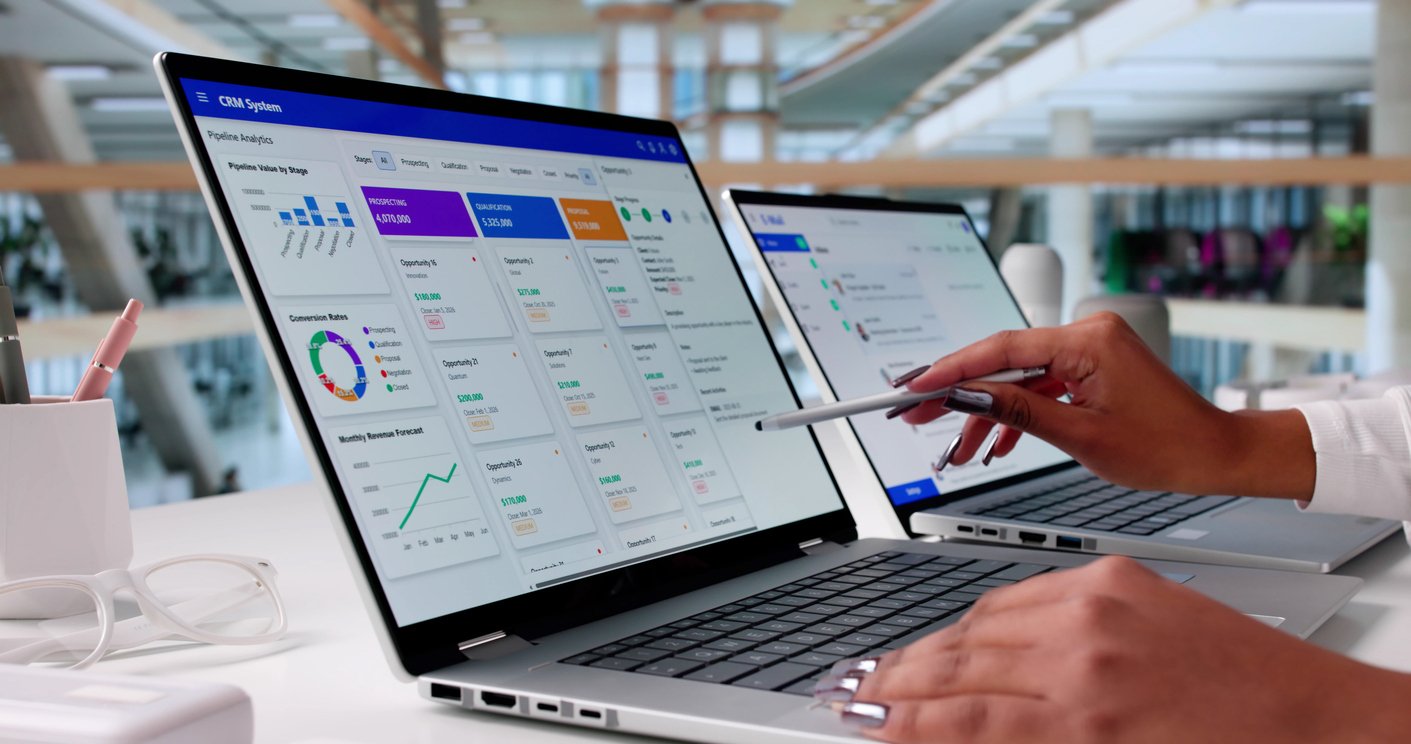
Monday CRM is an extension of Monday.com's Work OS, a project management platform adapted to handle sales pipeline management. If your team already lives in Monday.com for project delivery, the natural overlap between sales tracking and delivery work is a genuine operational advantage. Deals, projects, and internal operations share a single workspace, eliminating the context-switching and data disconnection that typically exists between sales and operations.
The visual interface is the platform's most talked-about characteristic. Kanban, table, chart, and timeline views can be switched instantly. Colour-coded boards, drag-and-drop deal stages, and real-time dashboards make pipeline health immediately visible. AI features in 2026 include email drafting, meeting summarisation, an AI Lead Agent for lead sourcing and qualification, and natural-language automation building.
What it does well in practice
For teams that want to move sales data directly into project delivery without re-entering information, Monday CRM's convergence of CRM and work management is a real advantage. Adoption tends to be high, the interface is immediately accessible and reps report using it because it blends into their existing daily workflow rather than feeling like a separate obligation. Two-way email sync with Gmail and Outlook is included from the Standard plan. The integration marketplace covers over 50 native tools and extends further via Zapier.
The honest limitations
Monday CRM is not a purpose-built sales CRM, and the gaps show in specific areas. Sales forecasting, territory management, and native lead scoring are not strengths. The Basic plan is significantly limited as a practical sales tool, task management and activity tracking aren't available until Standard tier, and meaningful automation requires the Pro plan at approximately £22 per user per month. The minimum of three paid seats means solo users or two-person teams pay for seats they don't need. The automation action limit on the Standard plan (250 actions per month) is easily exhausted by an active sales team, making a Pro upgrade operationally necessary for most businesses that use automations seriously.
UK pricing (2026): Basic approximately £10/user/month (3-seat minimum). Standard approximately £14/user/month. Pro approximately £22/user/month. All approximate GBP conversions.
Best for: Teams already using Monday.com for operations, or businesses where sales and project delivery are genuinely intertwined and need one shared workspace.
Not ideal for: Pure sales teams that need deep pipeline management and forecasting, or businesses looking for a cost-effective entry-level CRM without seat minimums.
ActiveCampaign
ActiveCampaign's dominant position is in email marketing automation, and its CRM (ActiveCampaign Sales) is built as a direct complement to that engine. This isn't a CRM that has email attached, it's an email automation platform that has built a CRM to connect the two. If your business runs on email-led nurture, sequences, behavioural triggers, lead scoring based on engagement, automated re-engagement, the connection between marketing activity and sales pipeline is genuinely powerful.
The automation builder is one of the best available at this price point. Visual drag-and-drop workflows can be triggered by virtually any contact behaviour: email opens, link clicks, website visits, form submissions, purchase activity, and deal stage changes. Over 900 pre-built automation templates are available. The AI layer, Active Intelligence, assists with automation building, predictive sending optimisation, segmentation, and campaign reporting. ActiveCampaign serves over 180,000 businesses globally and has a mature, well-documented platform.
What it does well in practice
When a lead reaches a qualifying score based on email engagement, a deal is automatically created in the CRM and assigned to a rep. When a deal stalls at a particular stage, a nurture sequence can be triggered automatically. Marketing and sales share one contact record, so there's no gap between what a prospect has received and what the sales team knows about them. For B2B businesses running content-led acquisition or event-driven nurture, this architecture is significantly more capable than most CRM tools operating alongside a separate email platform. Free migration from any email marketing or CRM platform is included.
The honest limitations
The CRM itself is lighter than dedicated platforms. Pipeline management, forecasting, and advanced reporting are functional but not the primary focus. Pricing scales with contact count rather than users, which means costs grow as your database grows, an important consideration for businesses with large or fast-growing mailing lists. There is no free plan. Some long-term users have noted that pricing has increased meaningfully over recent years without proportionate feature additions at lower tiers.
UK pricing (2026): No free plan. Plus plan (includes CRM and lead scoring) from approximately £37/user/month at entry-level contact tiers, scaling with contact count. All approximate GBP conversions.
Best for: Marketing-led B2B businesses where email nurture is a primary revenue motion, or businesses that want marketing automation and CRM in one connected system rather than separate tools.
Not ideal for: Teams that need the CRM to lead with sophisticated pipeline management and cross-team reporting, rather than support the marketing function.
Capsule CRM
Capsule CRM earns its simplicity positioning honestly. It was designed from inception to do fewer things with less friction, and for small teams moving from spreadsheets or a chaotic inbox, it delivers on that promise faster than almost anything else. Setup is typically measured in hours. The interface is clean enough that a new user can locate a contact, check the interaction history, and update a pipeline stage within minutes of first login, without a training session.
The core functionality covers contact and company management, customisable sales pipelines, task and activity tracking, basic email integration with Gmail, Outlook, and Google Workspace, and a projects feature for managing post-sale delivery. An AI Content Assistant is available for drafting emails within the platform. Integration with Xero, QuickBooks, Mailchimp, and Capsule's sister email platform Transpond makes it particularly functional for small professional services and consulting businesses.
What it does well in practice
Every contact record is clean and unified, emails, notes, files, tasks, and linked opportunities are all visible in one timeline. The mobile app is full-featured and works offline, which matters for field-based account management. Capsule's Tracks feature, reusable task sequences that can be applied to any contact or deal, is an underrated tool for imposing process consistency without building complex automation. For businesses at the earlier end of their CRM journey, this is often more appropriate than a sophisticated workflow builder that won't be used properly. The Starter plan supports up to 30,000 contacts at £15 per user per month, which represents solid value for relationship-heavy businesses.
The honest limitations
The simplicity that makes Capsule fast to adopt also defines its ceiling. Workflow automation and email sequences are restricted to higher-tier plans. Reporting is basic, the dashboard provides a pipeline snapshot, but deep analytics or attribution reporting require either a plan upgrade or exporting to a third-party tool. Contact enrichment is gated behind paid tiers. For businesses that start here, reaching the ceiling within 12 to 18 months is a realistic expectation as process complexity grows, at which point either upgrading within Capsule or migrating to a more capable platform becomes necessary.
UK pricing (2026): Free for up to 2 users. Starter £15/user/month. Growth £30/user/month. A 14-day free trial is available on paid plans.
Best for: Small professional services firms, consultants, and agencies that need clean relationship management and fast adoption without complexity. Teams moving off spreadsheets for the first time.
Not ideal for: Businesses that need automation depth, advanced reporting, or a platform that can scale into a full revenue operation across multiple teams.
Less Annoying CRM
Less Annoying CRM does exactly what the name suggests. It is simple, affordable, flat-priced, and built for very small businesses and sole traders that need to organise contacts and track follow-ups without the overhead of a complex system. There are no pricing tiers, no feature gates, and no upgrade pressure, every user gets access to the full product for a single monthly fee.
What it does well in practice
The interface is stripped back to the essentials: contacts, pipelines, and tasks. You can see everything you need to follow up on from a single screen. Contact records are clean, the pipeline view is functional, and the whole system can be learned in an afternoon. Customer support is handled by humans via email and phone, a notable differentiator in a market where most platforms route support through automated help centres first.
The honest limitations
Less Annoying CRM is not built to scale. There is no workflow automation, no email sequences, no AI features, no reporting beyond basic pipeline views, and no marketing integration. It doesn't connect teams, it's a personal organisation tool for managing contacts and follow-ups. For businesses with multiple users, different roles, or any ambition to use their CRM as a source of revenue intelligence, Less Annoying CRM will reach its ceiling quickly. It is an entirely appropriate starting point for a micro-business or sole trader, but it is not a platform with a meaningful growth path.
UK pricing (2026): Approximately £12/user/month (converted from USD flat rate). No free plan, but a 30-day free trial is available.
Best for: Sole traders, micro-businesses, and individuals who need contact and follow-up tracking with no complexity and no ongoing configuration demands.
Not ideal for: Any business planning to grow meaningfully, the lack of automation, reporting, and team functionality will become a constraint quickly.
Which CRM Is Right for a Growing B2B Business?
After working through the nine platforms above, a pattern emerges. The businesses most likely to outgrow their current setup are the ones that chose a platform for where they were rather than where they were heading. A tool that does contact management well isn't the same as one that connects your whole revenue operation.
For growing B2B teams where marketing, sales, and customer success need to work from shared data, HubSpot is the platform that most consistently meets the brief. Not because of brand recognition, but because of architecture. Running every function on the same underlying data model means there's no translation layer between teams, no sync lag, and no competing versions of the truth. That's structurally different from a CRM with integrations bolted on to approximate the same outcome.
The free plan is also a genuine starting point rather than a sales tool, covering contact management, deal pipelines, email tracking, meeting scheduling, and basic reporting at no cost. For businesses evaluating a platform move, that's meaningful - you can test the foundations properly before committing.
That said, HubSpot isn't the right choice for every business. For teams that need a clean, focused sales pipeline without broader complexity, Pipedrive will serve them better and at lower cost. For businesses that want enterprise-level depth without enterprise pricing, Zoho CRM is worth serious consideration. If email automation is the primary revenue motion, ActiveCampaign's CRM and marketing engine in one platform makes a strong case. And for very small teams that need to get organised quickly without a steep learning curve, Capsule or Less Annoying CRM will get them there faster.
Where HubSpot does have a genuine edge is for businesses that want to consolidate a fragmented stack rather than extend it. The ability to replace multiple point tools with connected Hubs, while integrating the tools that stay in place, means the consolidation is real rather than theoretical.
The honest caveat is this: the platform doesn't create the result. A HubSpot portal configured without a clear data architecture, undefined lifecycle stages, and teams trained on buttons rather than process will underperform, often significantly. Businesses that treat implementation as a quick setup exercise frequently end up with a system only marginally better than what they left. HubSpot is most valuable for businesses that design the revenue engine before they build it.
How Digital Litmus Helps You Get It Right
At Digital Litmus, we're a B2B Growth and HubSpot Agency and a certified Platinum HubSpot Partner. We work with growing B2B businesses to build HubSpot setups that actually deliver what the platform is capable of.
The principle we work from is simple: design before you build. Before we configure anything, we run a structured discovery, mapping your current state, identifying where the real constraint is, and designing the desired future state across platform, process, and people. The build follows that design. Not the other way around.
For businesses making a platform move, that design phase determines almost everything. How should data flow between your existing tools and HubSpot? What does your lifecycle model actually look like? How should leads route between marketing and sales? Where does the stack simplify, and where do existing tools stay in place and connect into the system?
These decisions, made before anything is configured, are what determine whether HubSpot becomes the connected revenue engine your business needs, or just another CRM your team learns to work around.
We work across CRM, Marketing, Sales, Service, and CMS as one connected system. Whether you're migrating from another platform, restructuring an existing HubSpot portal, or building the foundations properly for the first time, we help you get there without the false starts.
Book a free Revenue Engine Assessment →
Frequently Asked Questions
What is the best CRM for a small business in 2026?
It depends on what your business actually needs. For growing B2B teams that want marketing, sales, and customer success connected in one platform, HubSpot is the strongest all-round choice. Zoho CRM offers more depth at a lower price point for teams comfortable with configuration. Pipedrive is the right call if your primary need is a clean, focused sales pipeline. Freshsales suits teams that want built-in calling and email without adding separate tools. Capsule and Less Annoying CRM serve smaller teams that need simplicity over sophistication. The best CRM is ultimately the one your team will actually use, built around how your revenue process genuinely works.
What is a CRM and why does a small business need one?
A CRM (Customer Relationship Management system) centralises your contact data, tracks every sales and marketing interaction, manages your pipeline, and gives your whole team a shared view of the customer relationship. Without one, or with one that isn't set up properly, data lives in multiple places, teams operate from different information, and revenue opportunities fall through the gaps between systems.
How do I know if I need to switch CRM platforms?
The clearest signals are: your sales team manages deals through their inbox rather than the CRM; marketing and sales report different pipeline numbers and can't agree on why; you can't connect campaign spend to revenue; your tech stack has grown piecemeal with data living in too many places; or producing a board-level revenue report requires manually pulling exports from multiple systems. Any of these suggests the current setup has hit its ceiling.
What should I look for when choosing a CRM for a small business?
The criteria that matter most are ease of adoption, transparent pricing without hidden upgrade walls, integration capability with your existing tools, a credible path to automation as you grow, and genuine scalability. The biggest mistake small businesses make is choosing on features alone without considering whether the platform will still serve them in two or three years' time.
What should I think about when migrating to a new CRM?
Data quality and migration planning, how integrations with your existing tools will be architected, lifecycle stage definitions that reflect how deals actually move, and team training that covers the process behind the platform rather than just the buttons. Most CRM migrations that fail do so because the destination wasn't designed before the move, not because the platform was wrong.
Which CRM platforms offer a free plan for small businesses?
Several of the leading platforms offer genuinely functional free tiers. HubSpot's free plan is the most generous, covering unlimited users with contact management, deal pipelines, email tracking, meeting scheduling, and basic reporting. Zoho CRM is free for up to three users. Freshsales offers a free plan for up to three users with built-in calling and email. Capsule is free for up to two users. Most free plans are a sensible starting point rather than a long-term solution, as automation and advanced reporting typically sit behind paid tiers.
How important is CRM integration with other tools?
Very. A CRM that can't connect cleanly to your marketing platform, email client, or reporting stack will create data silos rather than resolve them. The question isn't just which integrations are listed. It's how the data flows. Bidirectional, reliable integrations that form part of a coherent architecture are what make a CRM a genuine single source of truth. Connections bolted on after the fact rarely achieve that.
Do I need outside help to implement a CRM properly?
Not necessarily, but it depends on complexity. Simpler tools like Capsule or Pipedrive can be self-served fairly quickly. More capable platforms like HubSpot or Zoho have more depth to configure, and businesses that rush implementation without a clear design for their data model, lifecycle stages, and integrations often end up with a system that underperforms. If the CRM is meant to connect your whole revenue operation, it's worth investing in getting the foundations right.
The Bottom Line
The best CRM for your business isn't determined by a feature list. It's determined by an honest assessment of where your revenue operation is right now, what's causing the friction, and whether a new or restructured platform, designed properly from the start, would remove it.
For most growing B2B businesses, that assessment points to HubSpot. Not because of the brand or the marketing, but because it's the platform best equipped to replace a fragmented stack with a connected revenue engine that marketing, sales, and customer success can all trust. That said, the right answer for your business depends on your process, your team, and your growth stage, which is exactly what a Revenue Engine Assessment is designed to uncover.
Book a free Revenue Engine Assessment with Digital Litmus →
Digital Litmus is a B2B Growth and HubSpot Agency and certified Platinum HubSpot Partner. We help ambitious B2B SMEs build connected revenue engines, from HubSpot Foundations and RevOps Programmes to Systematic ABM. Find out how we work →

Are you a B2B company looking to accelerate growth?
Our connected sales, marketing, and HubSpot agency services might be just the ticket. Get in touch for your free growth assessment to find out how you can accelerate business growth today.